Agents and workspaces
The notch and the widget
A pill at the top of the screen (or a widget on the Windows taskbar) that tells you who's working and who's waiting while you do something else, and lets you answer and write to the agents from any program.
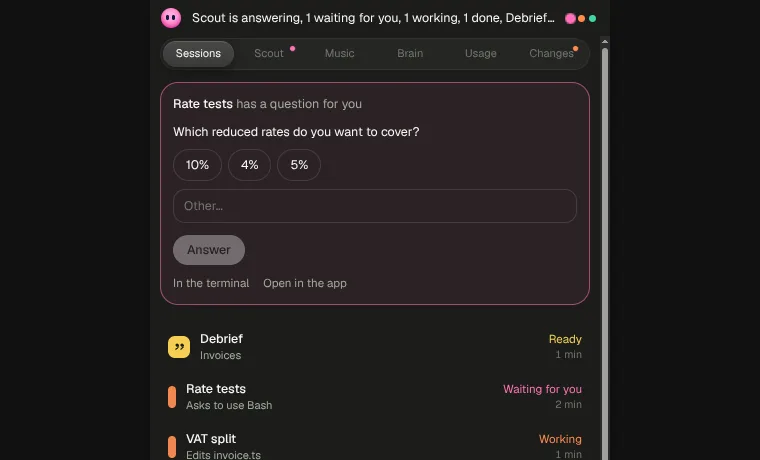
The notch is a small ink pill at the top of the screen. When Gloop isn't in front, it tells you in one line what the agents are doing ("1 waiting for you, 1 working, 1 done"), with a dot per agent in the colour of its state. It's how you follow the agents while you work in another window, without notifications covering the screen.
- It opens when you rest over it with the mouse, and closes when you move away.
- It doesn't show in screen shares or screenshots: you can keep it on during a call.
- On Windows, if a program takes the whole screen (a video, a presentation, a game), the notch doesn't sit on top of it.
What's inside
Open, the notch has its own tabs:
| Tab | What you find there |
|---|---|
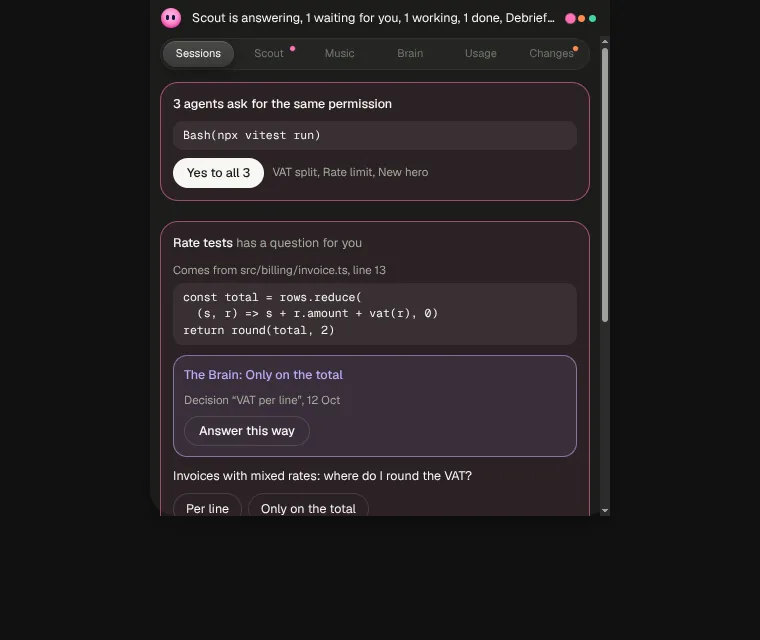
| Sessions | The agents with their state and what they're doing, and what they're asking you: questions with their answers, permissions with Yes and No, plans to approve. The finished Debrief too. |
| Scout | The Scout answers that just arrived and the points of the requests. See Documents, calls and delivery. |
| Music | Play, pause and next track, without switching windows. |
| Brain | Search the workspace's notes. |
| Usage | The plan's 5 hours and week. |
| Changes | The changed files. |
Answer a question straight from the notch: a click on an answer, or Other to write your own. In the terminal leaves it to the terminal; Open in the app takes you to the pane.
The command bar
Ctrl+Alt+Space opens the notch's command bar from any program: write to an agent, search, give commands, without going through Gloop.
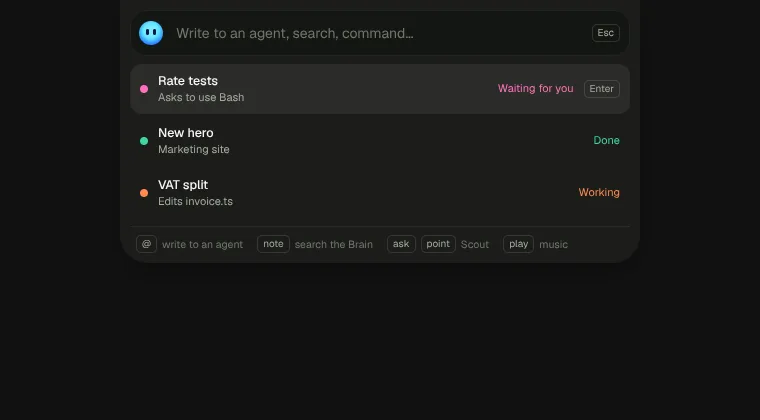
- Type an agent's name (or
@name) and the message: Enter sends it. If the agent is working it goes at the end of the turn; Ctrl+Enter sends it right away. notefollowed by words searches the workspace's Brain; you can open the note or copy its link.pointadds a point to a Scout request; with the arrows you choose the request.askasks a question about a request: Claude reads Brain and code and answers right there, only to you. Handy on a call. See Documents, calls and delivery.playcontrols the music.
You change the combination in Settings → Notch → Command bar. If another program already uses it, Gloop tells you and lets you pick another.
Notch or widget
On Windows you can put the notch on the taskbar, where the weather sits: it becomes a widget that opens with a click. You choose it in Settings → Notch → Where.
Both the notch and the widget can be moved: with Moves, drag them along the top edge (the notch) or along the taskbar (the widget); with Fixed they stay where they are.
Turning it off
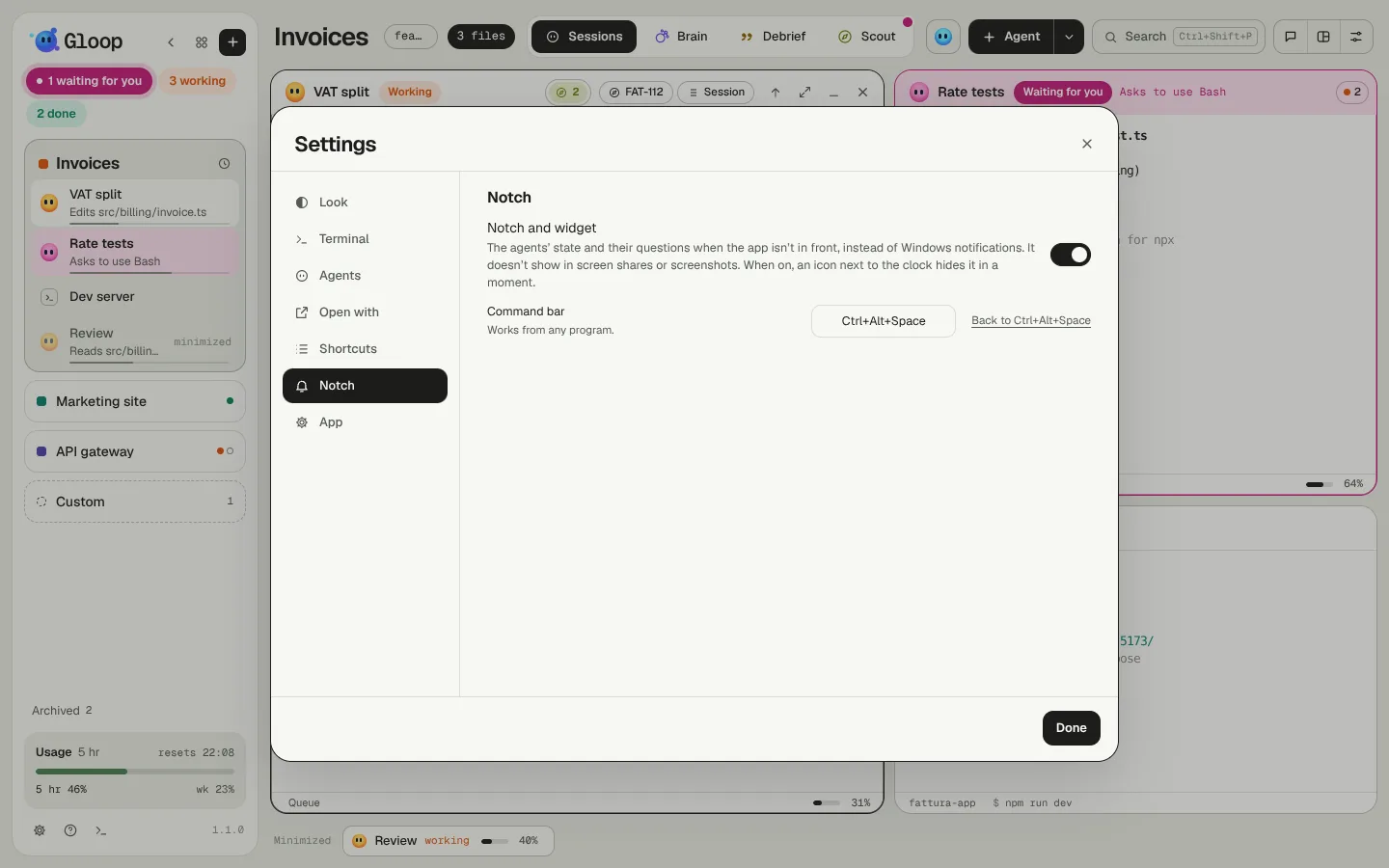
You turn the notch on and off in Settings → Notch. When it's on, next to the system clock there's an icon to hide it in a moment, before a presentation for instance. To make it quiet without turning it off there's Do not disturb.