Review and parallel work
Changes and risk review
Reviewing what the agents changed: the files that matter first, why to look at them, comments on lines to send to the agent, the side-by-side diff and "Discard".
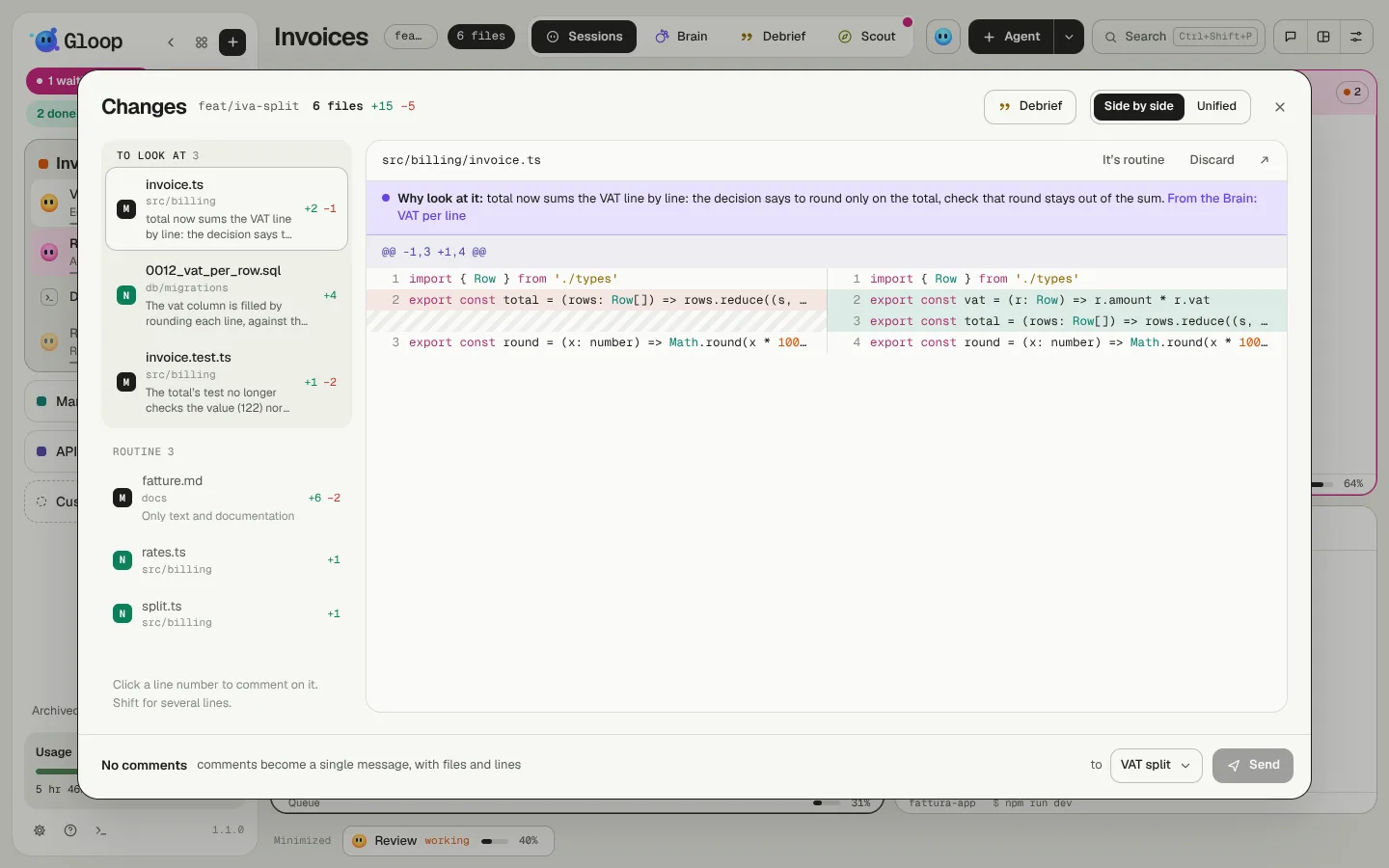
The N files chip in the workspace bar (and at the bottom of every pane working on a branch of its own) opens Changes: every file git sees as changed in the folder, with its diff. It's where you review the agents' work before committing it.
What matters first
With ten changed files, not all of them deserve the same attention. Changes splits them in two:
- To look at, at the top: the files that weigh the most;
- Routine, below and quieter: the rest.
The weight comes from rules that run on your computer, at no cost:
| Signal | Examples |
|---|---|
| A critical area of the Brain | The paths you marked as critical. |
| Database | A migration, the schema. |
| Weakened tests | Assertions removed, skipped tests (skip, todo), a forgotten only, a test file deleted. |
| Security and permissions | .env files, CI workflows, CODEOWNERS, keys, permission settings. |
| Money and access | Names like price, total, VAT, payment, invoice, login, password, token, roles. |
| Size | A deleted file, more than 300 lines changed. |
These are routine no matter what: a file only renamed, a change of whitespace and line breaks only (except where whitespace matters, like Python or YAML), lockfiles, documentation.
Why look at it
Above the diff of a file to look at there's a Why look at it line: the rules' one at once, then, within seconds, a more precise one written by a small model (Haiku) that reads the diff and the Brain notes involved. When it quotes a Brain note, the line is violet and the title opens the note.
The why is written once per version of a change: reopening Changes on the same diff costs nothing.
Correcting the weight
In the diff's header:
- It's routine or To look at move the file: your choice beats the rules, and the line says so ("Marked by you");
- Mark as critical area (with the Brain on) writes the path among the Brain's critical areas: from then on that file will always be one to look at, here and in the Debrief. Unmark critical area removes it.
The diff
Each file shows side by side (before and after) or unified, with the code's colours and the lines added and removed. At the top, the count of +/− lines.
- Discard throws a file's changes away and puts it back as it was in the last commit. It asks you first, because there's no going back.
- The arrow opens the file in your editor.
Commenting on lines
A click on a line number opens a comment under that line; with Shift you comment a range. Write what you want changed, on as many files and lines as you like.
At the bottom, Send turns all the comments into a single message for the agent you choose: with files, lines and quoted code, so it knows exactly where to put its hands. If the agent is working, the message goes in its queue.
In the Debrief
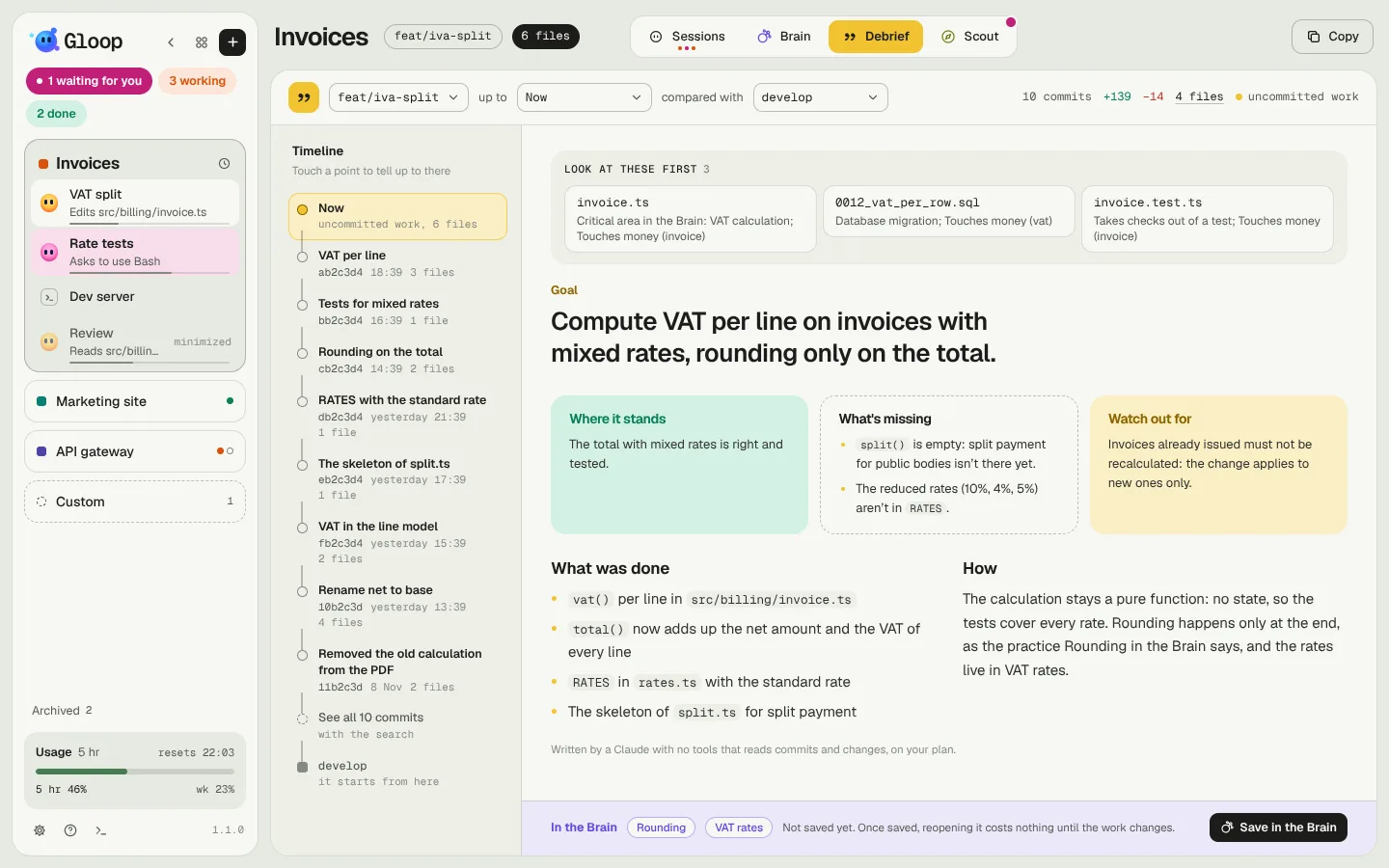
The Debrief also shows the Look at these first strip at the top, with the heaviest files of the work it tells (four at most) and the rules' why. A click opens that file in Changes or in the editor.