Review and parallel work
Branches, worktrees and try in parallel
Giving an agent a branch of its own in a folder next to the repository, moving an agent that's already at work there, and having several agents do the same task at once to keep the best.
Two agents in the same folder share the files. When they work on different things, it's better for each to have its own branch in its own folder: git calls it a worktree. Gloop creates and manages them for you, and each shows in the bar and in the pane's header with its branch.
These features are there in workspaces that are a git repository (not in Custom).
An agent on its own branch
From the arrow next to Agent, choose Agent in a branch:
- New branch: write what it works on (it also becomes the branch name, which you can change) and where it starts from. Spaces become
_as you type, and Gloop refuses, before creating anything, a name git doesn't accept or that already exists. - Existing branch: pick a local branch, with a search.
Below, a drawing shows you where the branch starts and which folder it's born in: next to the repository, in <repository>.worktrees/<branch>.
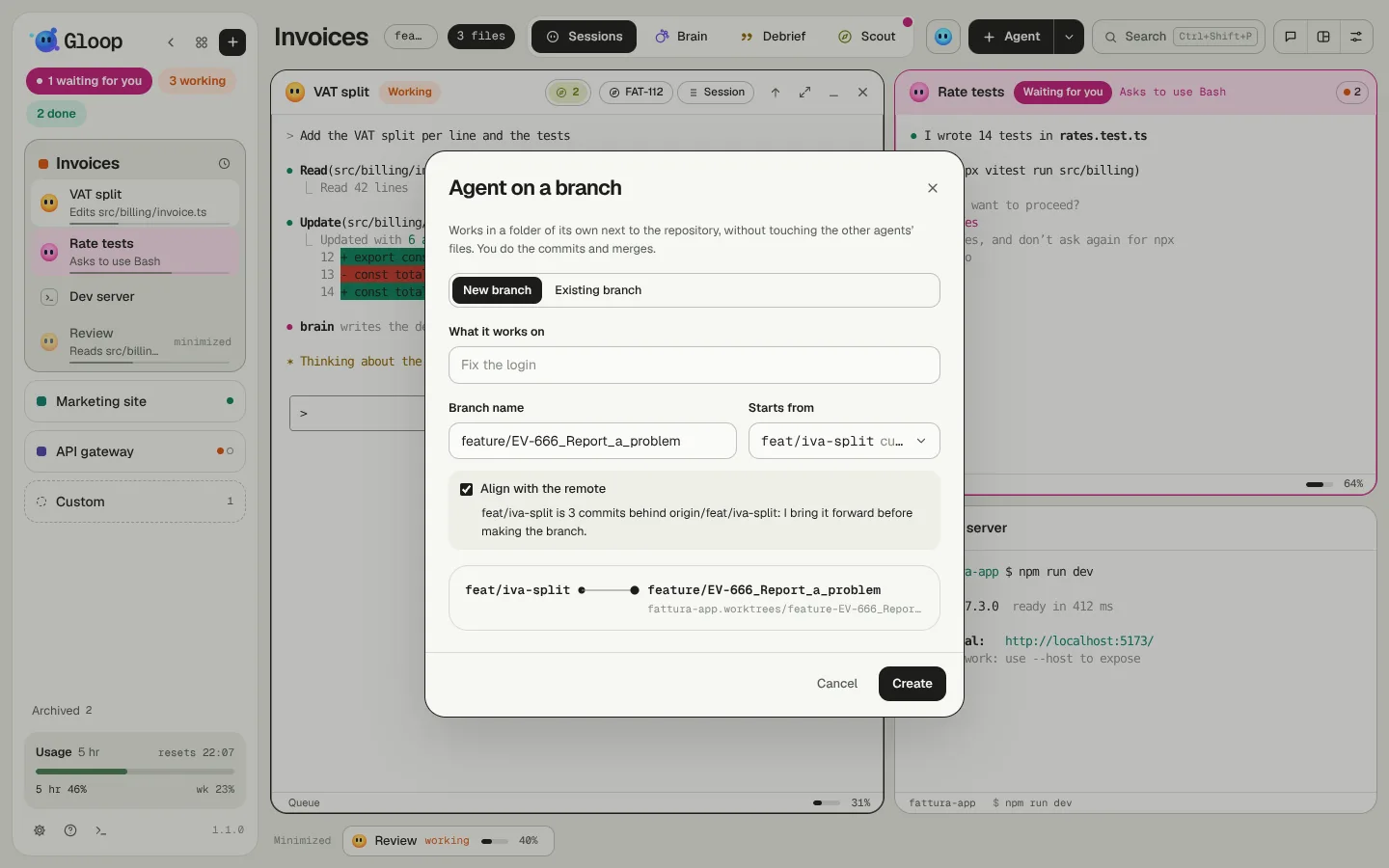
Align with the remote
Under "Starts from" there's Align with the remote, on by default. Gloop asks the remote how far the starting branch is and tells you in one line ("3 commits behind origin"). If your local branch is only behind, it moves it forward before creating the worktree, so the agent starts from up-to-date code. If your local branch has commits of its own, or has diverged, it doesn't touch it.
The new branch doesn't track any remote branch: a git push by the agent never ends up on the branch it started from.
Closing an agent in a worktree
When you close the agent, Gloop asks whether to remove the worktree too. Git refuses if there are unsaved changes inside, so you don't lose work by mistake. The branch stays: merging or deleting it is up to you.
Moving an agent that's already at work
You started in the workspace's folder and realise the work deserves its own branch? Move to a worktree (pane's menu or palette) takes the agent into a worktree, new or existing, or brings it back to the workspace's folder.
Since a Claude Code conversation is tied to its folder, the agent doesn't move as it is: Gloop asks it for a handoff (what it was doing, how far it got, the next step), creates the worktree, brings the changes over and starts the agent again in the new folder with that handoff. The previous conversation stays among the closed sessions.
- The changes to bring are already chosen: the files the session wrote. The other changed files are offered unticked; those held by another agent stay out.
- The agent must be idle with Claude's input box empty: a half-written message would end up in front of the handoff request.
- If something goes wrong, the agent stays where it was, with its conversation.
Try in parallel
When you're not sure how a task will go, have several agents do it at once and keep the best. Try in parallel (arrow next to Agent, palette, or from the New agent window) sends the same prompt to 2, 3 or 4 agents, each in its own worktree, with branches <name>-1, <name>-2… all starting from the same point.
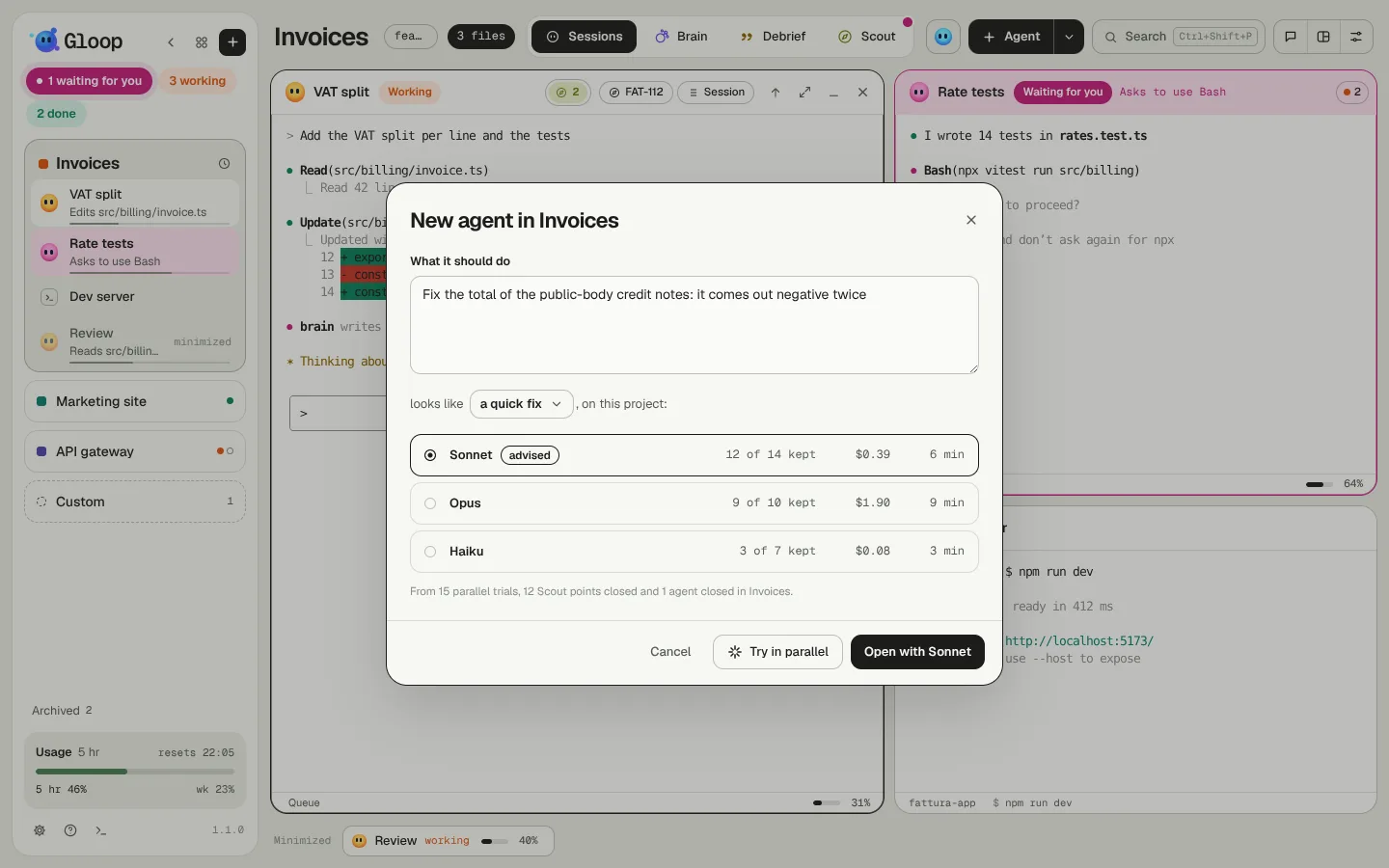
You can give each agent its own model (Sonnet to one, Opus to the other) and say what kind of work it is: that way, when you pick the winner, Gloop learns which model does that kind of work best on that project. See The right model for the task.
In the column and in Control the variants sit together, under Try in parallel. When they're done, Compare puts them side by side: pick the one to keep with Keep. It stays as it is, on its branch (you do the commit and the merge); the others are thrown away, worktree included. Their branches stay, should you need them.