Agents and workspaces
What waits for you and Your week
The morning window with what's waiting for you in every workspace, and the tally of how long the agents waited for you, with the rules that would cut the waiting.
What waits for you
At the first start of the day, if there's something, Gloop opens What waits for you: the date, a sentence that counts everything ("1 agent is waiting for you, 3 requests have news, 2 are done and 1 session to resume") and a row per thing, grouped by workspace, most urgent first.
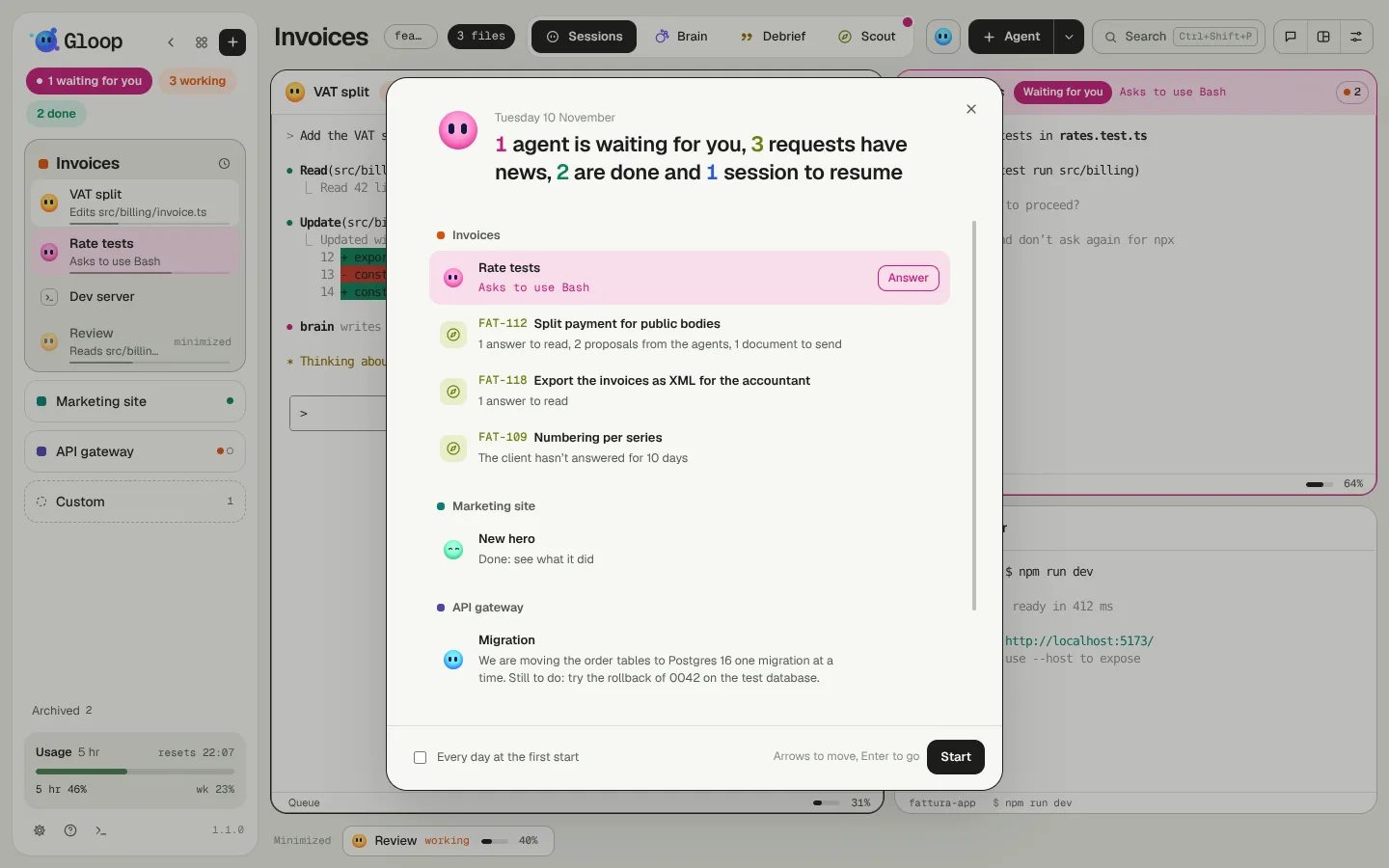
You'll find:
- the agents waiting for you, with what they're asking;
- the Scout requests with news: answers to read, proposals from the agents, documents to send, a client who hasn't replied for days;
- the agents that are done;
- the sessions to resume, with the recap of where you left off (Resume all when there's more than one).
Each row is a button that takes you there: Reply, Open, Go, Resume. Up and down arrows to scroll, Enter to go, Esc to close; Start closes and lets you work.
The window comes up by itself once a day, only when the room is calm (no other window open, and after the news of an update). The Every day at the first start box turns it off; open it whenever you like from the palette, "What waits for you".
The waiting tally
When you have many agents, the time they spend waiting for you is time you lose. Gloop measures it: the minutes in which at least one agent was waiting for you, with the computer in use.
- Two agents waiting together count once.
- Only the time in front of the computer counts: locked screen, sleep and more than 30 minutes without touching mouse and keyboard are time away, and don't count (the whole half hour, not just what comes after).
- It's saved only on your computer, for 90 days. It never goes anywhere.
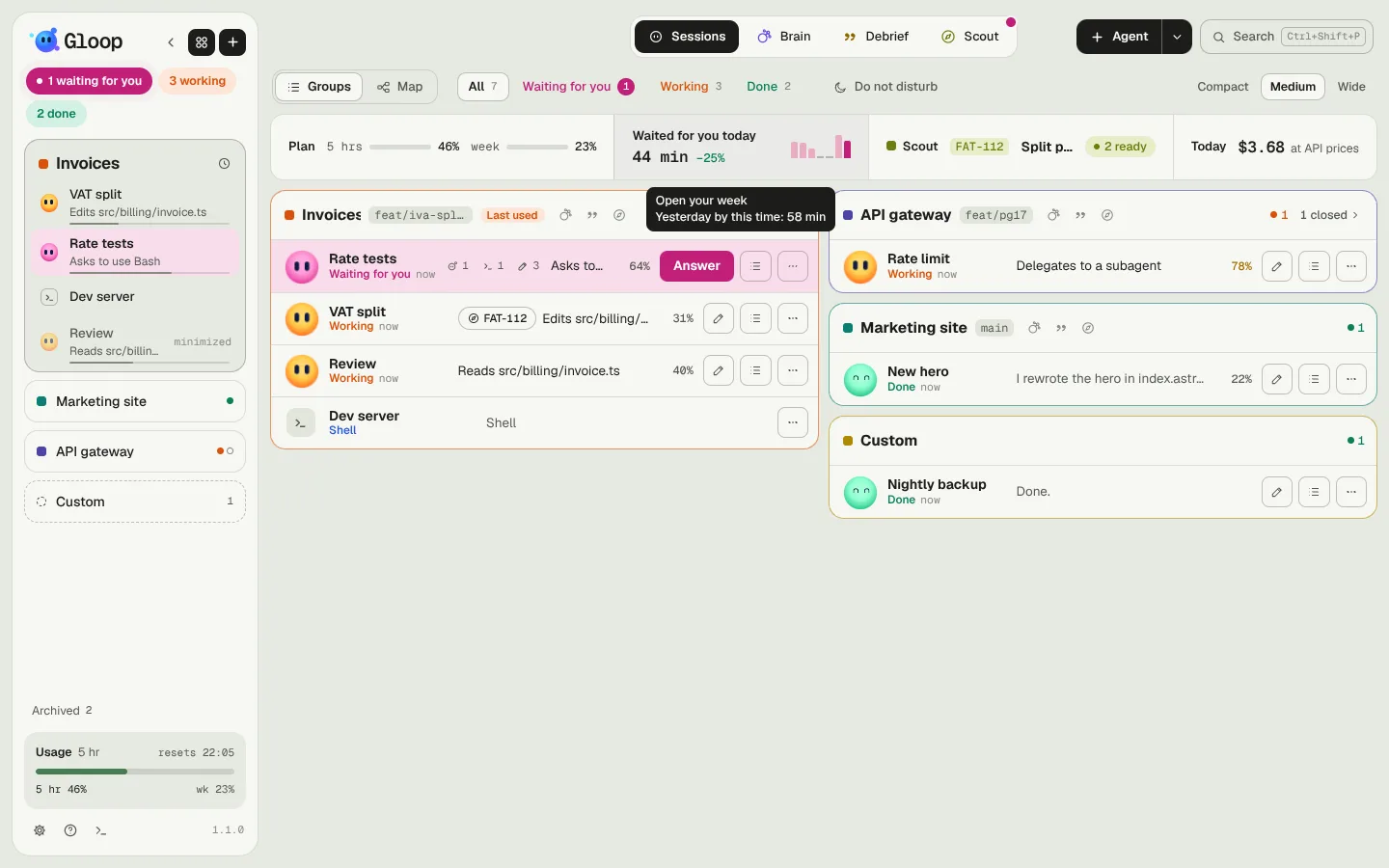
In the strip at the top of Control, Waited for you today gives today's minutes, the comparison with yesterday at the same time and seven small bars for the last seven days.
Your week
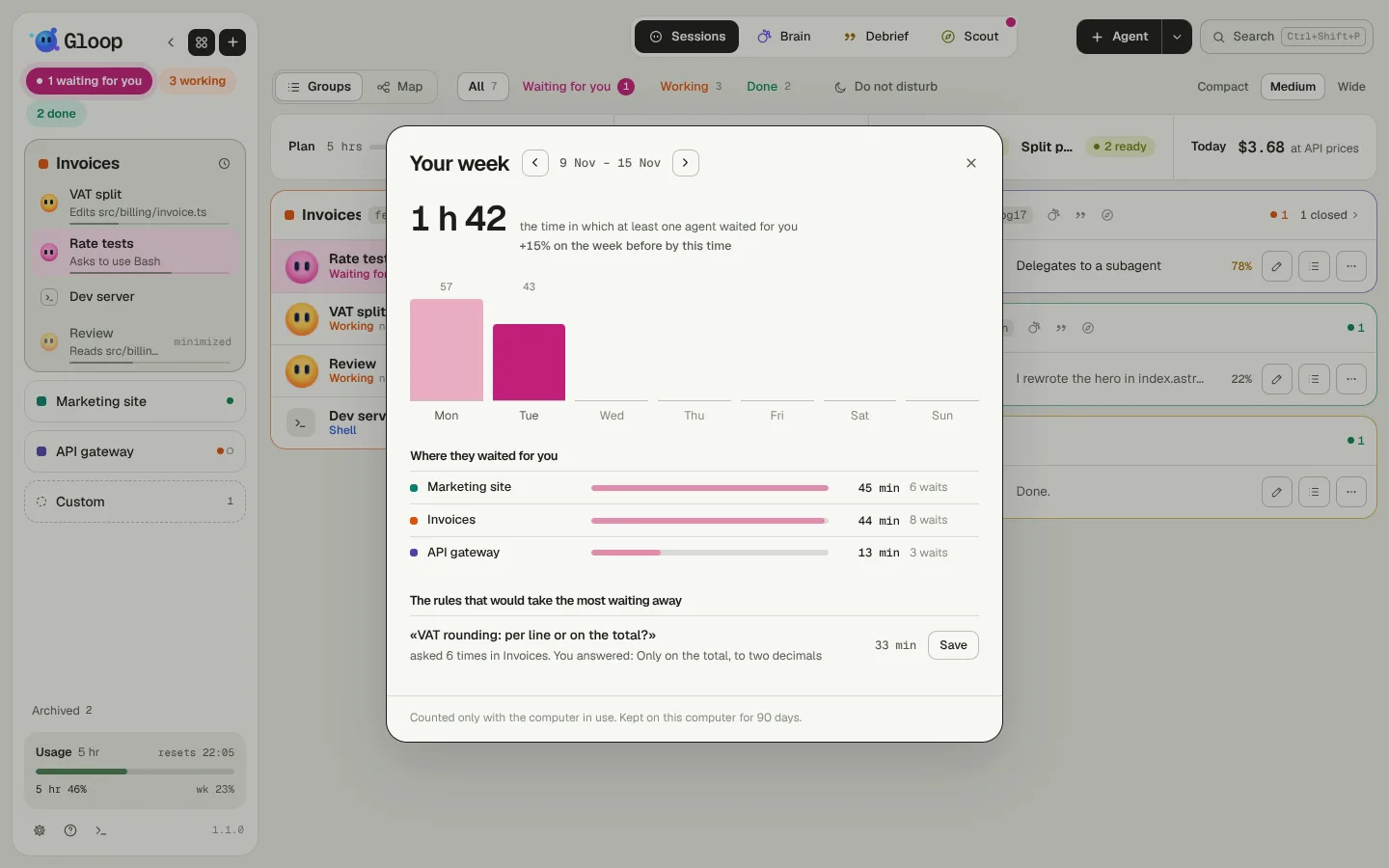
A click on that cell (or "Your week" from the palette) opens the week, Monday to Sunday: the total, the comparison with the week before, the minutes day by day, the workspaces where they waited for you most. Use the arrows to go to earlier weeks.
The rules that would save you the most waiting
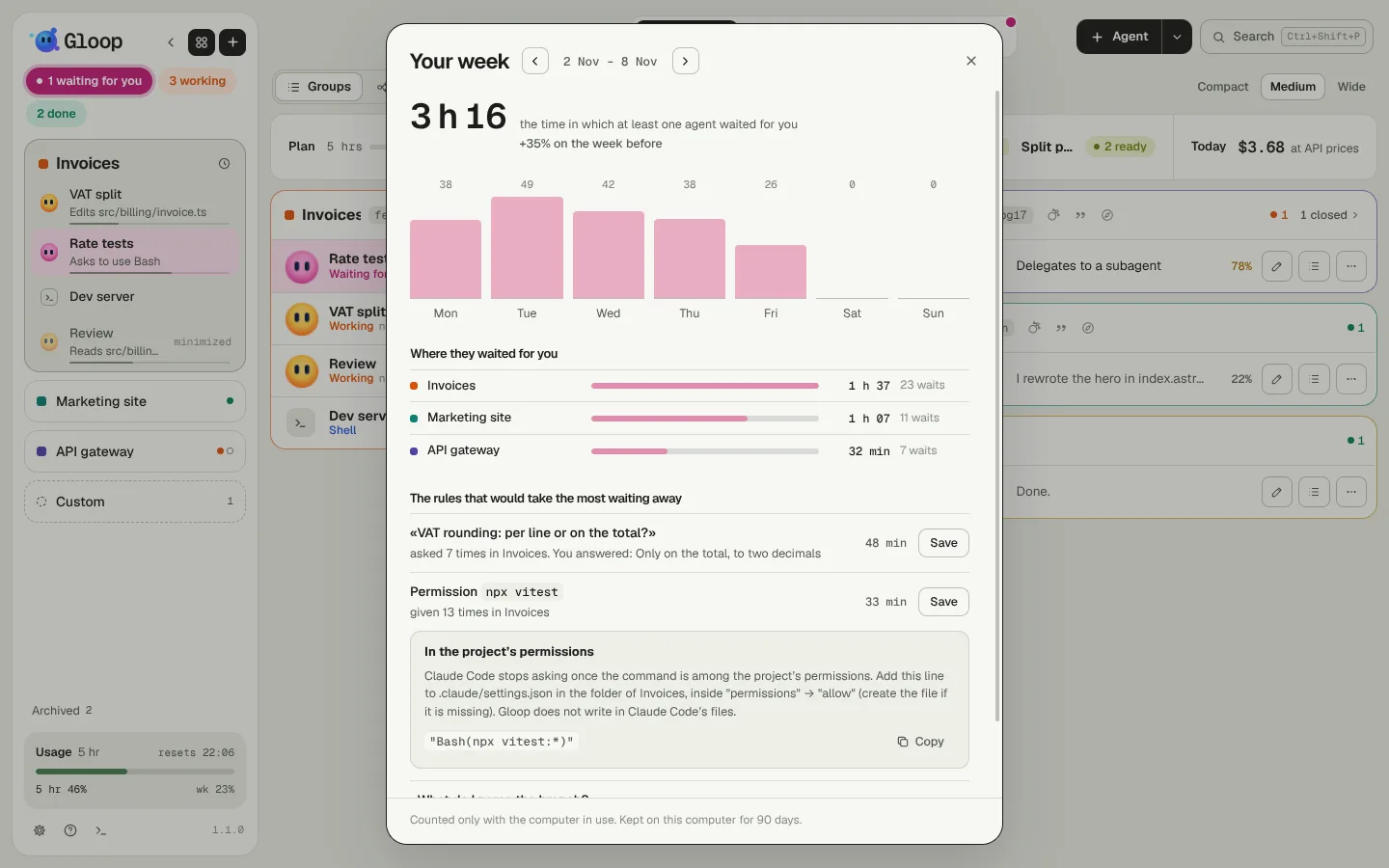
At the bottom, Gloop suggests up to three rules, most useful first:
- A question asked again and again (even in different words) in the same workspace: Save writes a decision in the Brain with the answer you gave most often. From there the agents find it by themselves, and with Autonomy Gloop can answer for you.
- A permission given many times for the same command: Gloop shows you the line to add to the project's Claude Code permissions (
.claude/settings.json), with Copy. Gloop never writes into Claude Code's files: you add it.
On Mondays, What waits for you has a line telling you how long they waited for you the week before, with the link to Your week.