Review and parallel work
The coordinator and recipes
Gloop's chat that reads the project, proposes a plan with several agents and starts it at your yes; and recipes, the ways of working you launch again in one click.
Gloop's chat
The Gloop button in the bar (or Ctrl+Shift+G) opens, next to the panes, the coordinator's chat. Write the task as you'd tell a colleague: the coordinator reads the project (and the Brain, if it's on), looks at the agents already open and proposes a plan.
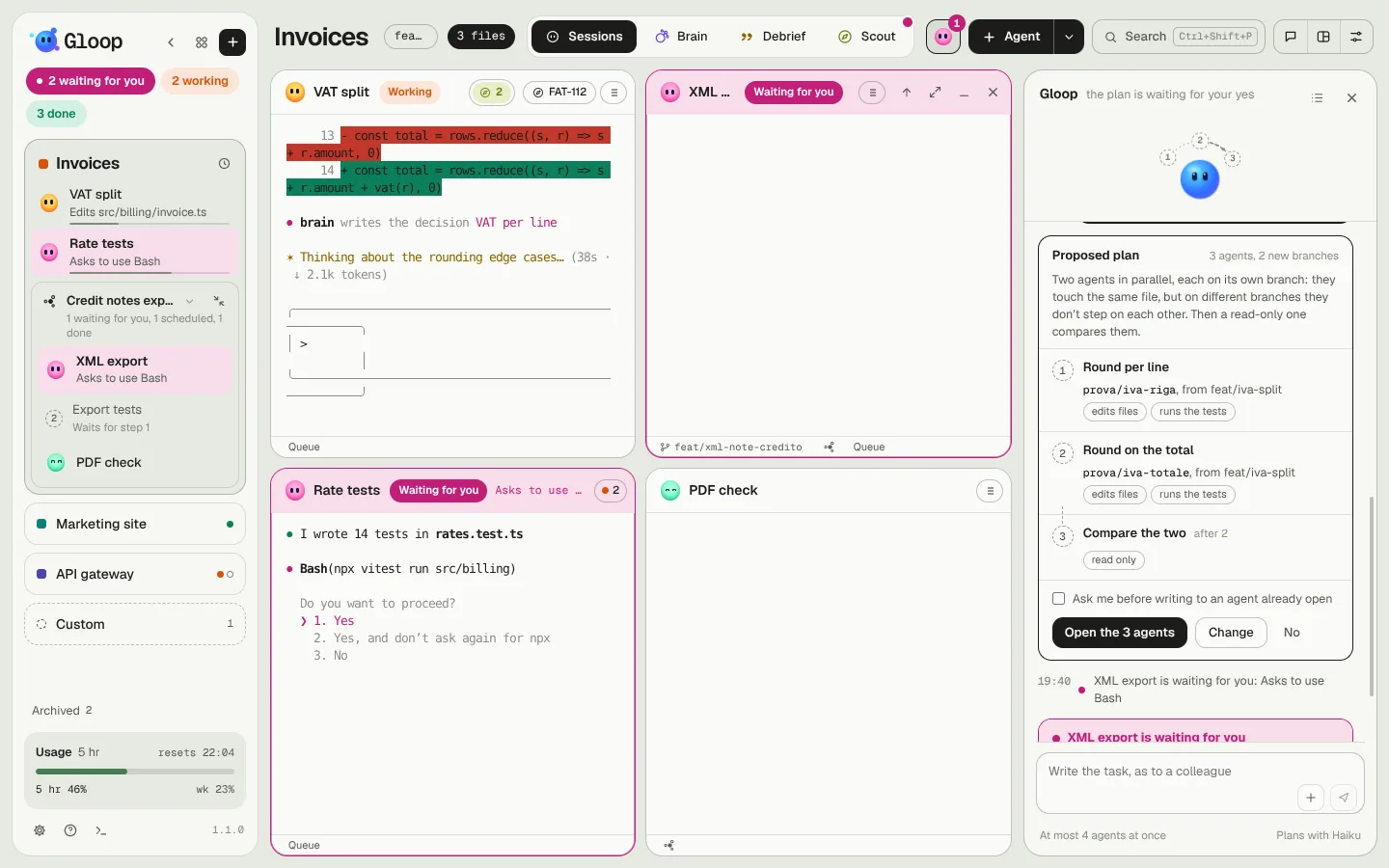
A plan is made of steps, one per agent:
- what it must do, with the exact prompt;
- which branch it works on (a worktree of its own) or whether it works in the workspace's folder;
- whether it may only read or also edit;
- who waits for whom: a step can start only when another has finished, and then it receives its report (the answer and the changed files).
Nothing starts without you: Open the agents starts the plan, Change lets you ask for changes, No discards it.
While the plan works
- The chat's mascot conducts: the droplets around it are the steps, filled with the colour of their state; an arrow along the orbit says who waits for whom.
- In the column, the plan's agents sit in a group with the plan's name. The button next to the name minimizes them all together: they keep working and your session takes the room. Whoever is waiting for you still tells you.
- Every agent of the plan has the "1 of 3" chip in its header: it opens the plan and the session, with the exact prompt the coordinator gave it.
- The facts arrive in the chat: who's done, who's waiting for you, with the link to go there.
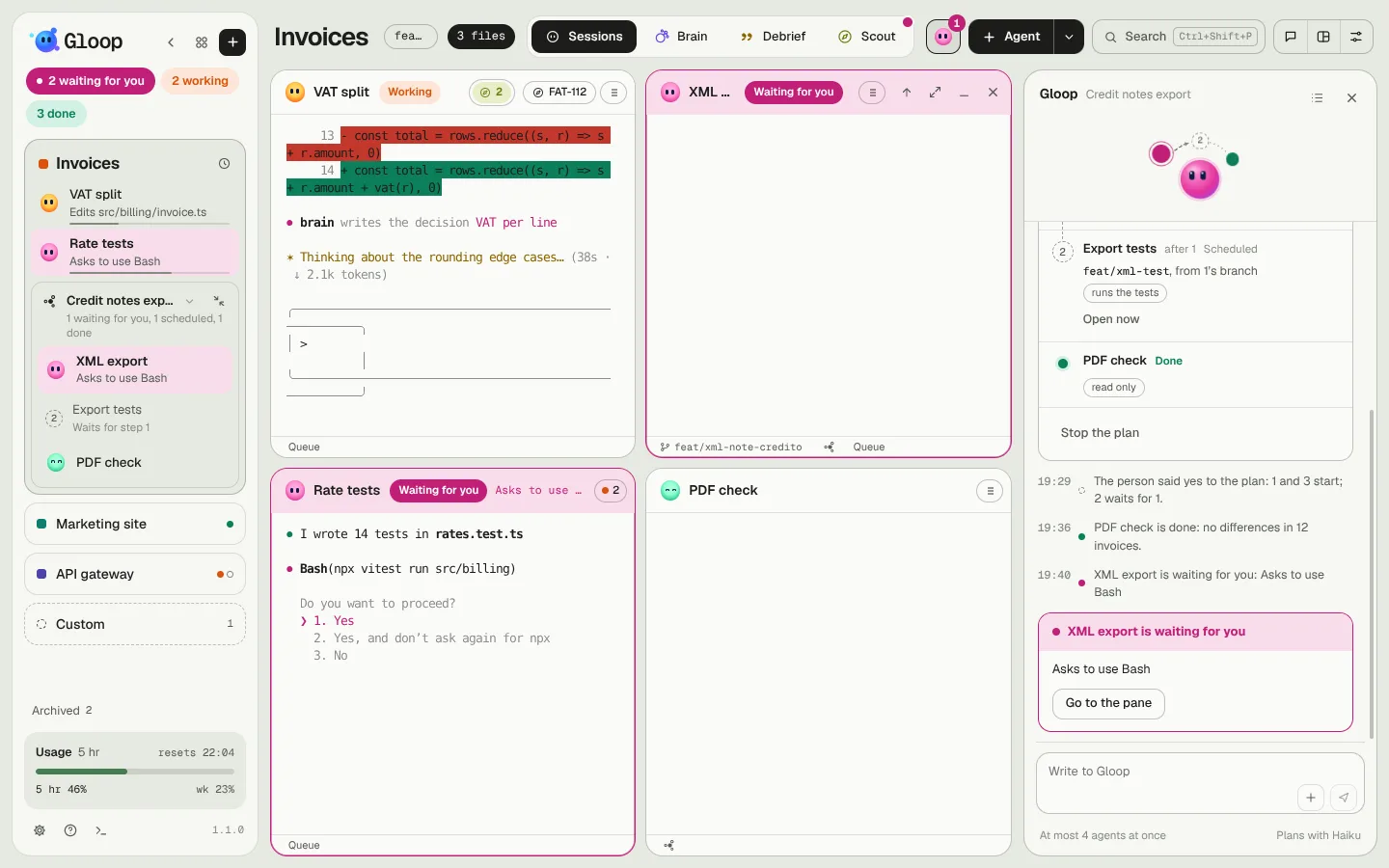
If you write to one of the plan's agents yourself, that agent becomes yours and the coordinator stops writing to it (until you give it back to the plan). With the Ask me before writing to an agent that's already open box, the coordinator asks your permission even to write to its own.
How many agents at once
The coordinator never opens more agents than you chose in Settings → Agents → Gloop's agents (1 to 8, 4 by default), and opens nothing if your Claude plan is over 85% in one of its windows. Every extra agent uses up the plan's limits faster.
Recipes
A recipe is a way of working with a name, which you launch again in one click: for example "New feature" (a branch, an agent that reads the Brain and proposes a plan, a shell with the tests watching, the Debrief at the end) or "Fix a bug".
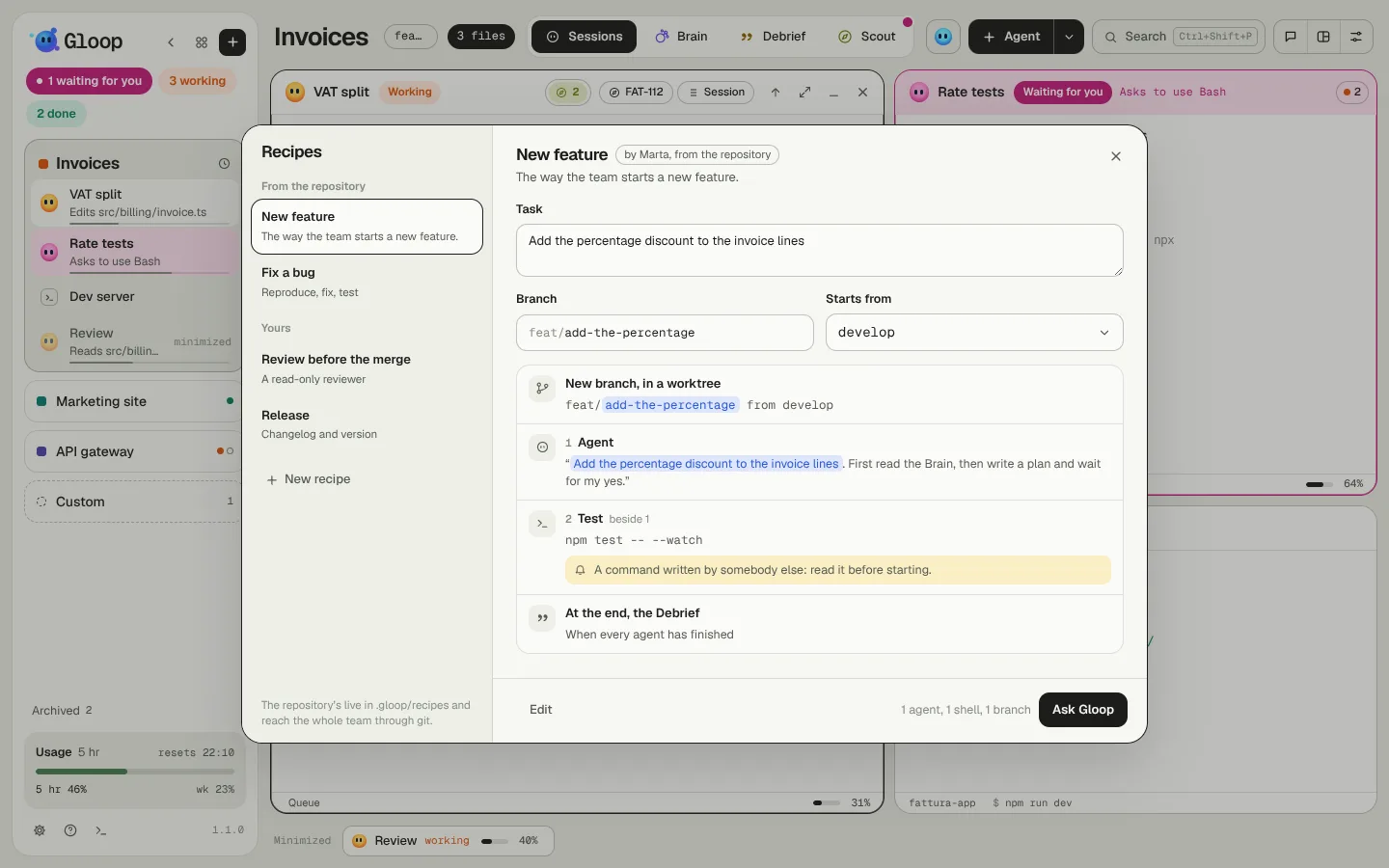
You open them from the arrow next to Agent, from the palette or from the chat. Pick a recipe, write the task and the branch (which follows the task until you change it), and Ask Gloop: the recipe becomes a coordinator plan, which waits for your yes as always.
- From the repository: they live in
.gloop/recipes/in the project's folder and reach the whole team through git. A shell command that comes from a repository recipe has a yellow line: written by someone else, read it before starting. - Yours: they live only on your computer.
When a coordinator plan goes well, the chat offers "Save it as a recipe?": just for you or in the repository (you make the commit). And when a task looks like a recipe you have, the coordinator suggests it.