Getting started
Introduction
How to use Gloop, from installing it to the features of every day: workspaces, agents, Brain, Debrief, Scout and everything around them.
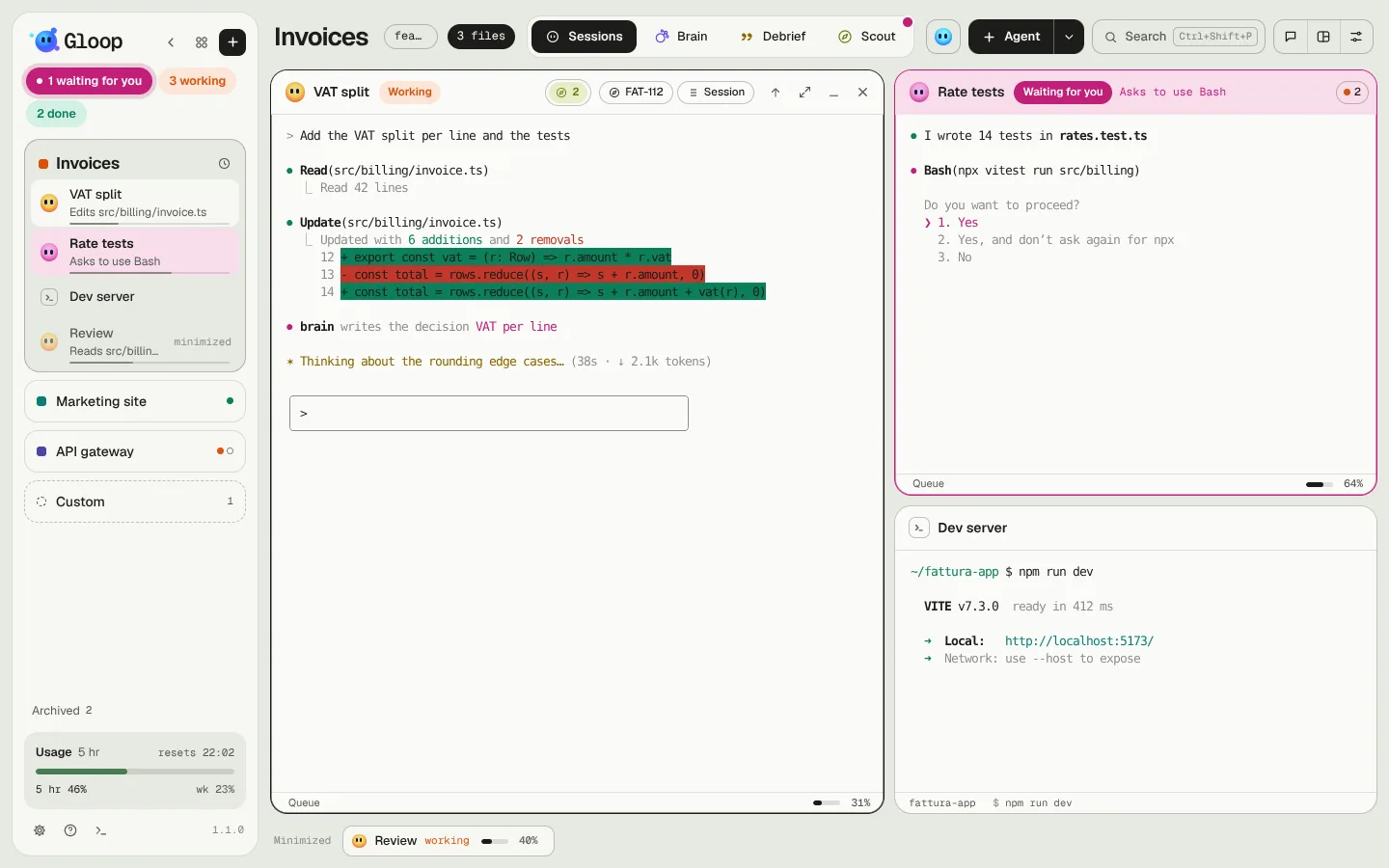
Gloop is a desktop app (Windows and Mac) where several Claude Code agents work side by side, each in its own terminal, and you follow them all from one place. Each project is a workspace; in a workspace you open agents and shells next to each other, and Gloop always tells you who is working, who is done and who is waiting for you.
Where to start
- First time? Read Install and activate, then The Gloop window: in ten minutes you have your first workspace with an agent at work.
- Already using Gloop every day? The pages on Control, Answering the agents and Do not disturb are the ones that save the most time.
- Looking for a key? It's in Keyboard shortcuts. And press / on any page of these docs to search.
The ideas behind Gloop
Five words are enough to understand everything else.
- Workspace: a project folder with its own name and colour. It holds its panes, its Brain, its Scout requests. See Workspaces and panes.
- Pane: a terminal. It can be an agent (Claude Code) or a plain shell. Panes sit side by side, maximize, minimize.
- State: every running agent is in one of four states, and the colour tells you everywhere: in the column, the panes, Control and the notch. See Agents and their states.
- Brain: the project's notebook, which the agents read before working and update while they work. See The Brain.
- Debrief: the story of the work done on a branch, written for a person. See The Debrief.
Colour means state
In Gloop colour is never decoration: it always says what an agent is doing. The mascot, Gloop, changes colour with it.
| Colour | State | What it means |
|---|---|---|
| Orange | Working | The agent is doing something: reading, writing, running. |
| Magenta | Waiting for you | It has a question, a plan to approve or a permission to ask you. It's the only solid colour: it's the one that must catch your eye. |
| Mint | Done | The turn is over: look at what it did. |
| Blue | Idle | At rest, ready for a new message. |
| Grey | Closed | The agent isn't running: it can be resumed, or it was closed. |
Three colours are not states: violet is the Brain, yellow the Debrief, olive green Scout.
What stays on your computer
Workspaces, conversations, Brain notes, Scout requests and the waiting tally live only on your computer, in the app's data. Gloop doesn't read your code or send it anywhere: the agents are Claude Code, which uses your Claude plan as it would in any terminal. The app asks the Gloop service only for the licence and for updates. All the details are in Data and privacy.