Reference
Usage, limits and costs
How much of your plan you've used in the 5 hours and the week, how much context each agent has, what today's work would cost and what happens when you reach a limit.
Gloop's agents are Claude Code, and they use your Claude plan as in any terminal. Gloop adds no costs of its own: it shows you how much you're using, because with several agents at once the limits come sooner.
The bar at the bottom of the column
At the bottom of the column, Usage shows the fullest window of the plan (or the one you choose in Settings → Agents): the 5 hours or the week, with the percentage and when it resets. The colour grows with it: green up to 40%, then yellow, red and burgundy at 100%. A click opens the Usage window.
The Usage window
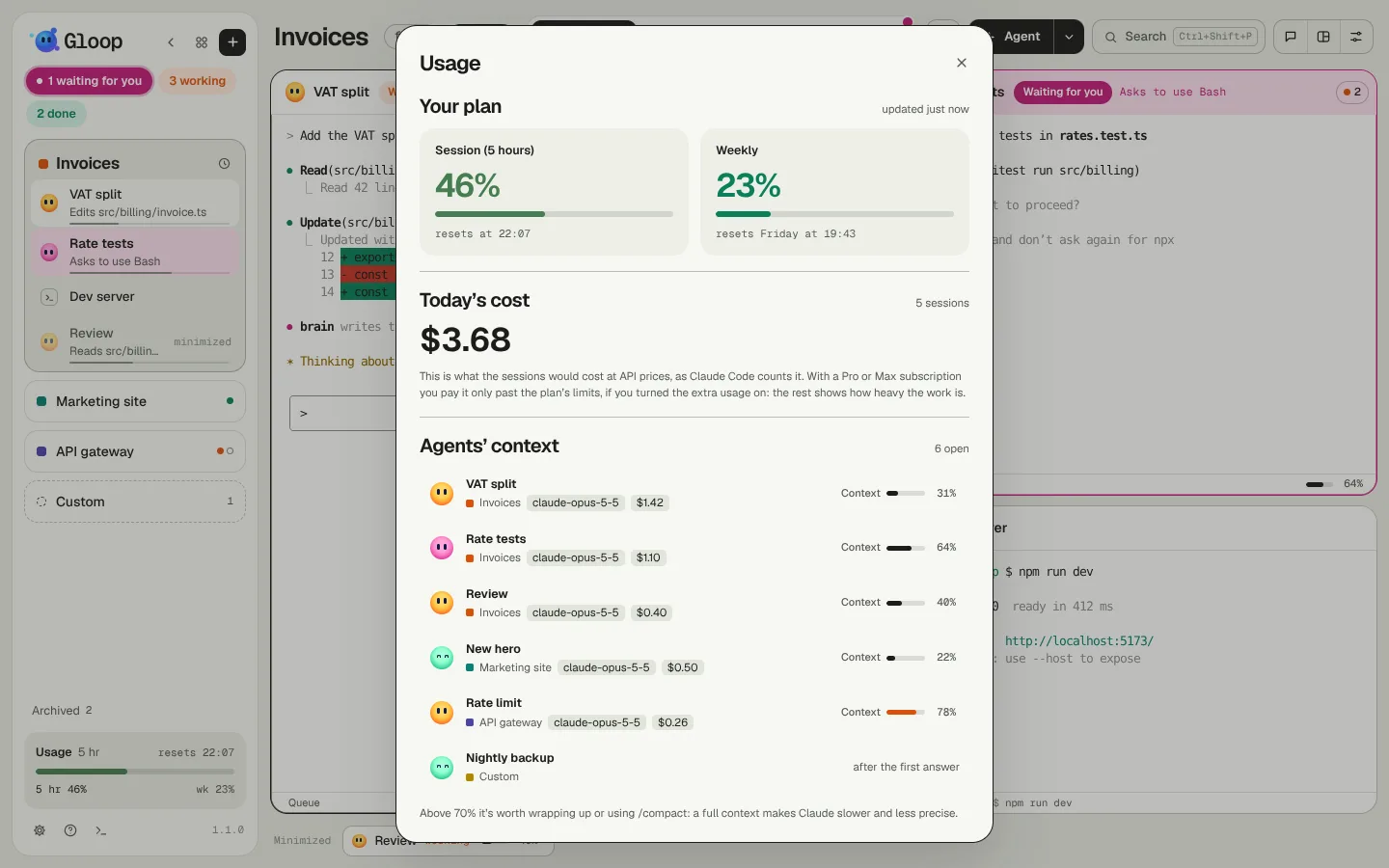
- Your plan: the 5-hour session and the week, each with the percentage used and when it resets.
- Today's cost: what today's sessions would cost at API prices, the way Claude Code counts it.
- Agents' context: for every open agent, the workspace, the model, what its session costs and how much context it has used.
The cost, with a subscription
The cost is at API prices: with a Pro or Max subscription you don't pay it, except for the part beyond the plan's limits with extra credits on. It's there to understand how much a piece of work weighs, and to compare models and ways of working (see The right model for the task and a Scout request's cost).
When a window of the plan is full:
- with extra credits on (
/extra-usagein a pane) the agents carry on, and what they spend until the reset is paid at API prices. The Usage window says how much you've spent beyond the limit; - without, the agents stop until the reset.
If you use Claude through an organisation with a spending limit, Usage shows that: how much you've spent out of how much, per day, week or month.
When you reach a limit
An agent stopped by the limit ends its turn, and the pane shows the reset time and the Resume on its own switch: when on, a minute after the reset Gloop tells the agent to carry on (the app must be open; a message of yours before then cancels it). See Agents.
The coordinator doesn't open new agents when a window of the plan is over 85%.
Context
The context is the memory of an agent's conversation. The percentage used shows at the bottom of every pane and in the Usage window. Above 70% it's worth wrapping the conversation up: a full context makes Claude slower and less precise. Gloop offers to continue in a new session with a handoff: see When the context fills up.