Agents and workspaces
Do not disturb
For a while the notch keeps quiet, the agents' questions wait in line and the agents go on with everything else; when you turn it off, you answer them all together.
When you need to focus on one thing, Do not disturb makes the agents' questions wait instead of stopping the agents. Each agent goes on with everything that doesn't depend on the answer, and the question reaches you later, in line with the others.
Turning it on
The switch sits in the row of controls in Control, next to the filters, and in the palette ("Do not disturb: 30 minutes"…). Choose for how long:
- 30 minutes, 1 hour, 2 hours;
- Until tomorrow, that is tomorrow at 8 (even if you turn it on after midnight);
- Until I turn it off.
When on, the switch says until when ("until 16:00") and how many questions are in line. When the time is up it turns itself off. It's remembered even if the app reloads.
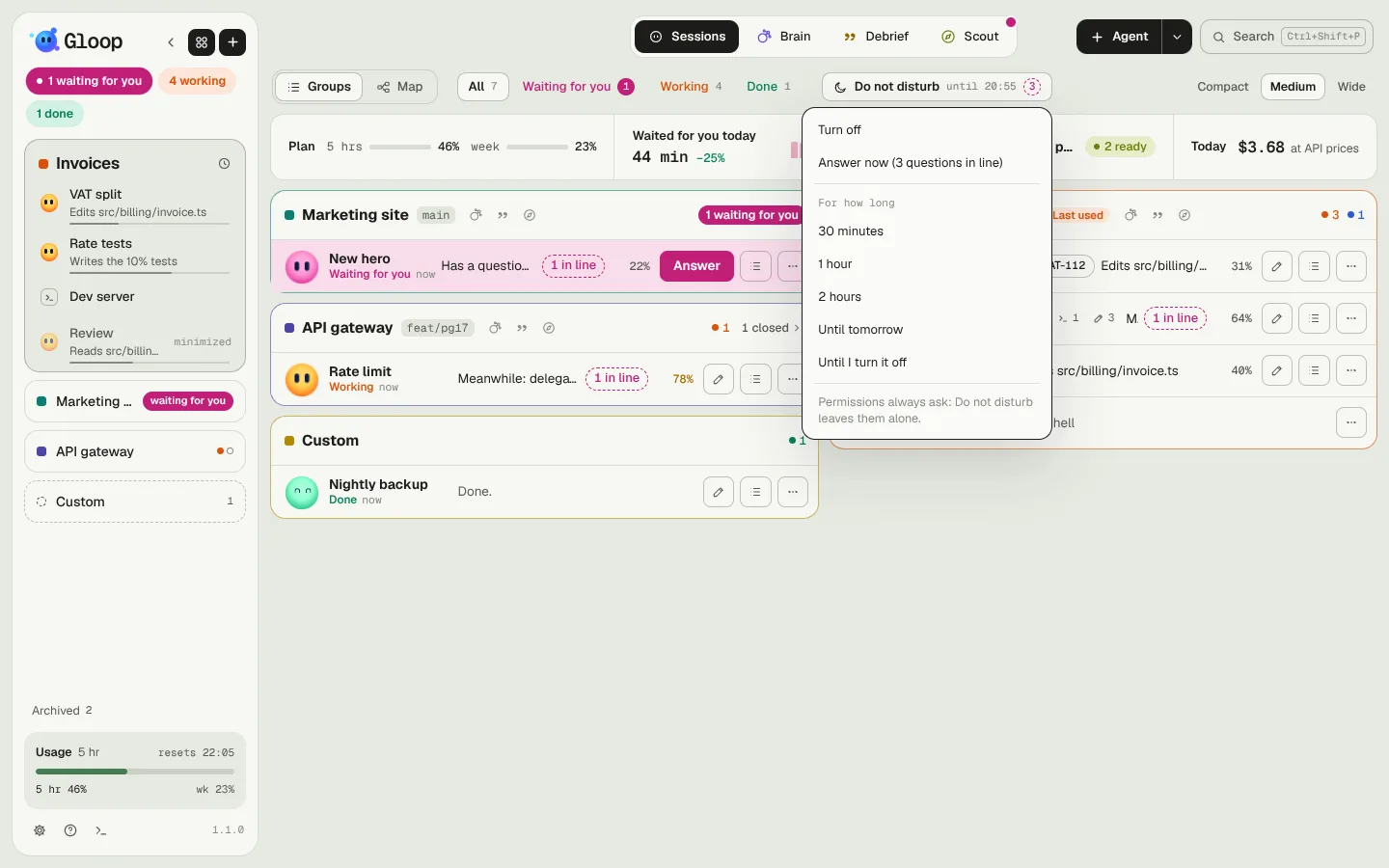
What changes
- The notch keeps quiet: no notes and no sounds for the agents. The state stays visible everywhere, column, Control and notch included.
- Questions go in line: when an agent asks a question, Gloop answers that you can't right now, not to choose by itself, to go on with the rest and to ask the same question again when it has nothing else to do. In Control its row has the dashed "1 in line" chip and, if it's working, "Meanwhile: …".
- If an agent asks the same question again (it has nothing else to do), or already has three in line, that question waits for you as usual: the agent stops and waits for you. There's no point in letting it spin.
- It holds even if the Gloop window is closed but the app is still open: the questions wait for you in line when you open it again.
Answering everything together
When you turn it off (or when the time is up), Waiting in line while you were focused opens: the questions from the oldest, each with agent, workspace, how long it's been waiting and whether the agent goes on or is waiting for you.
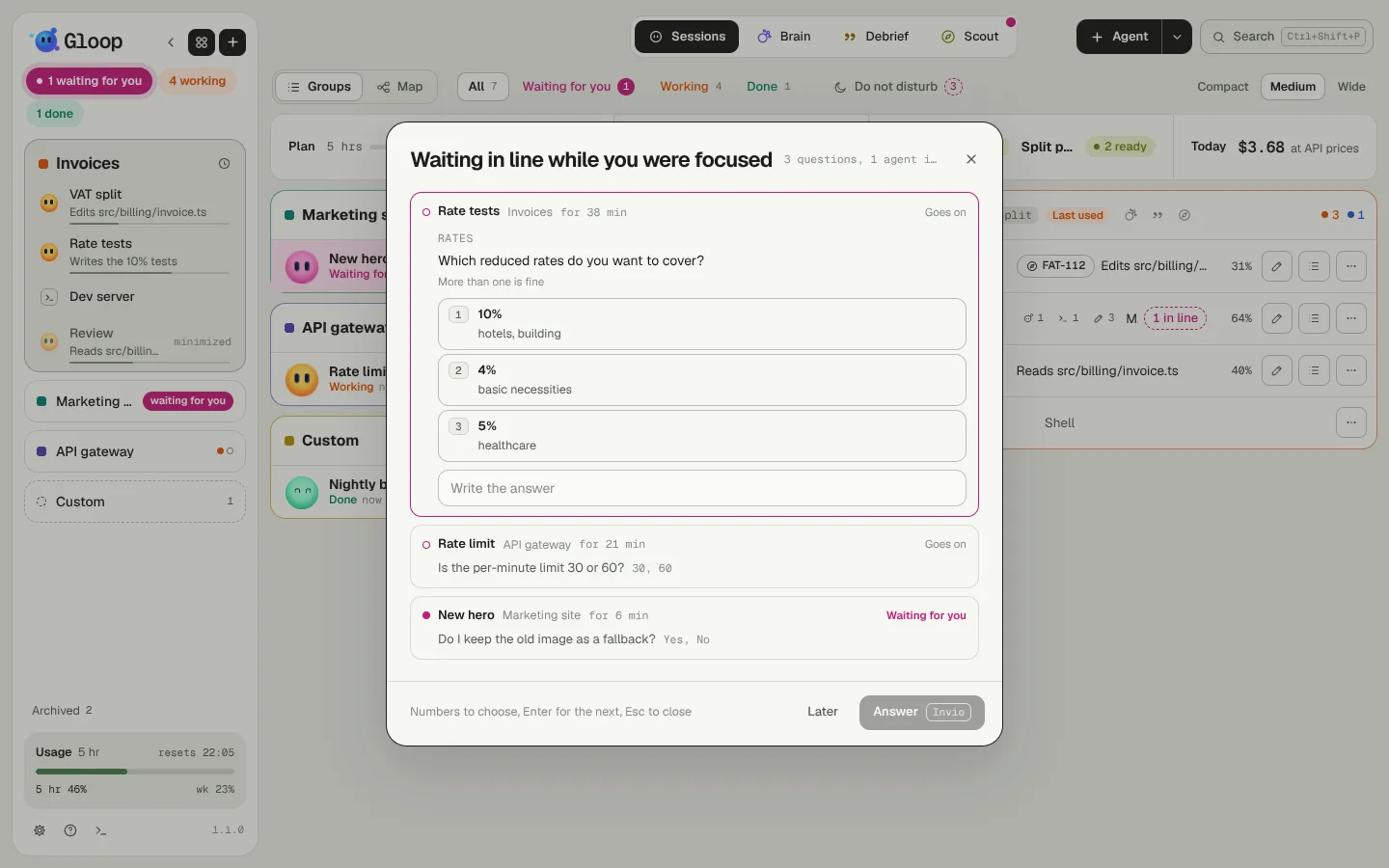
- One question at a time is open: the number picks an option, the field below is for an answer of your own.
- Enter moves to the next question and, once an agent's questions are done, sends it the answers.
- Later skips a question; up and down arrows change question; Esc closes, and what's left stays in line (open it again from the chip, the switch or the palette).
The answer reaches the agent the right way: if in the meantime it has asked the question again and is waiting for you, it goes there; otherwise it arrives as a message ("To the question «…» the answer is: …"), right away if it's idle, in the queue if it's working.