Reference
Keyboard shortcuts
Every Gloop key, those you can change and the fixed ones, plus the terminals' keys and the notch's command bar.
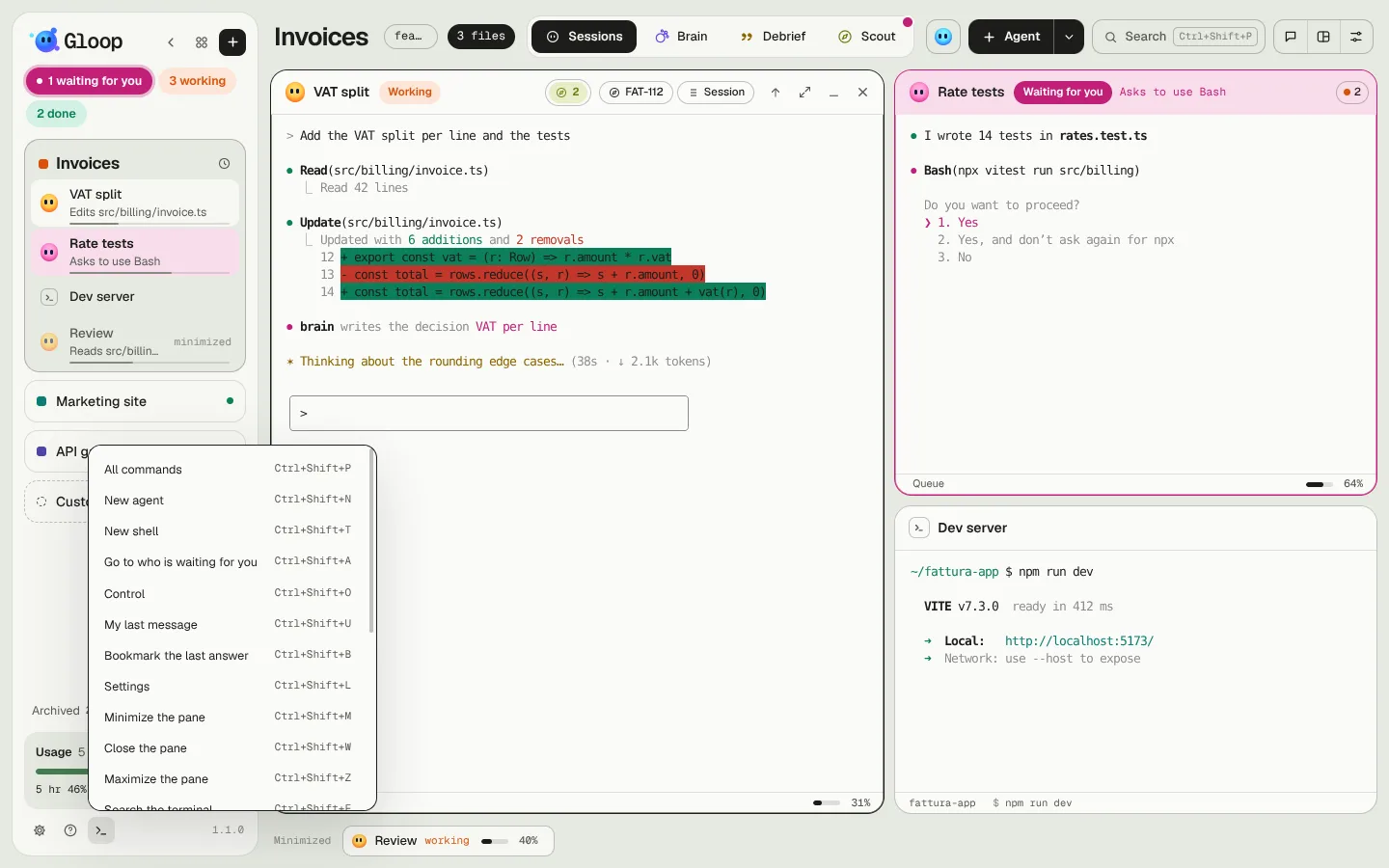
On a Mac, where you read Ctrl here, Cmd works too. Every command's key also shows in its tooltip and in the palette.
Shortcuts you can change
You change or turn them off in Settings → Shortcuts: click the key, then press the new combination. If it already belongs to another command, or the app uses it in another way, Gloop tells you.
| Key | What it does |
|---|---|
| Ctrl+Shift+P | All commands (the palette). Also Ctrl+K. |
| Ctrl+Shift+N | New agent |
| Ctrl+Shift+T | New shell |
| Ctrl+Shift+A | Go to who's waiting for you, oldest first. Also Ctrl+Shift+Space. |
| Ctrl+Shift+O | Control: enter and leave |
| Ctrl+Shift+U | My last message to the agent |
| Ctrl+Shift+B | Bookmark the last answer |
| Ctrl+Shift+L | Settings |
| Ctrl+Shift+M | Minimize the pane |
| Ctrl+Shift+W | Close the pane |
| Ctrl+Shift+Z | Maximize the pane |
| Ctrl+Shift+F | Search the terminal |
| Ctrl+Shift+S | Search all the folder's sessions |
| Ctrl+Shift+G | Gloop's chat |
| Ctrl+Shift+→ | Next agent, with an agent open large in Control |
| Ctrl+Shift+← | Previous agent, with an agent open large in Control |
Fixed keys
| Key | What it does |
|---|---|
| Ctrl+1 … Ctrl+9 | Goes to the workspace in that position in the column |
| Alt+← Alt+→ Alt+↑ Alt+↓ | Moves the focus to the neighbouring pane |
| Ctrl+Alt+= Ctrl+Alt+- | Panes' font bigger or smaller |
| Ctrl+Alt+0 | Panes' font back as it was |
| Ctrl+Shift+↑ | Opens the conversation on the last bookmark |
| Ctrl+Shift+↑ Ctrl+Shift+↓ | With the conversation open: previous and next message |
In the terminals
| Key | What it does |
|---|---|
| Ctrl+V | Pastes text; an image on the clipboard goes to Claude |
| Ctrl+C | Copies, if there's selected text; otherwise stops as usual |
| Shift+Enter Alt+Enter | In an agent, a new line without sending |
In the windows
In the palette, in the search and in the windows with a list: the arrows choose, Enter does, Esc closes. In the search across all sessions, Ctrl+Enter resumes the session. In Do not disturb the numbers pick an option.
From any program
| Key | What it does |
|---|---|
| Ctrl+Alt+Space | The notch's command bar. You change it in Settings → Notch. |
In the command bar: Enter sends, Ctrl+Enter sends right away even to an agent that's working, Tab changes a point's kind of answer, Esc closes. See The notch.
In these docs
/ or Ctrl+K search every page.