Agents and workspaces
Answering the agents
One yes for every agent asking the same permission, the Brain that already knows the answer, where a question comes from, "Keep it in the Brain" and how much to let the agents do on their own.
With several agents at work, time goes into answers: the same permission asked three times, the same question already decided last week. Gloop shortens that time without ever deciding for you, unless you ask it to.
One yes for all
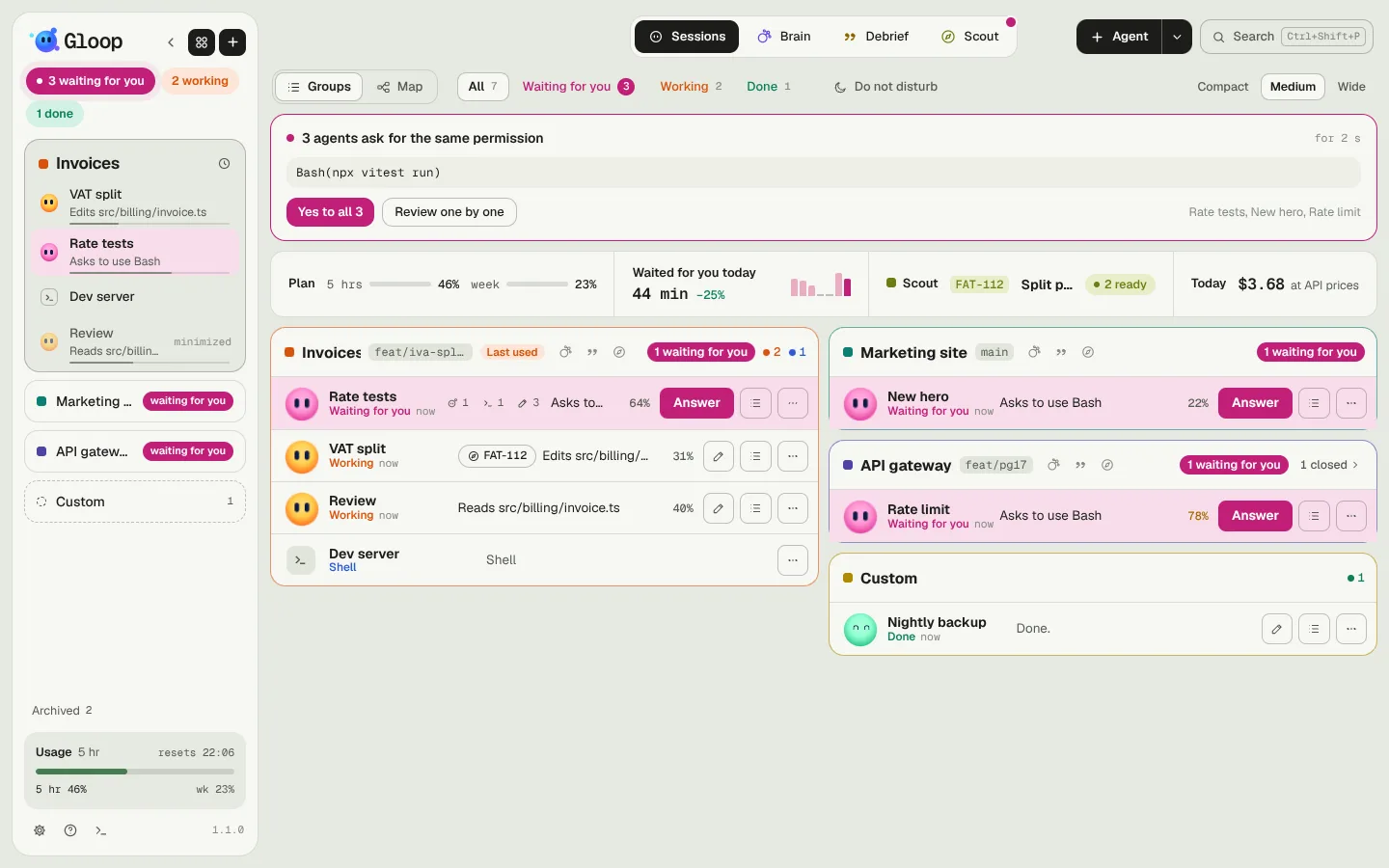
When two or more agents, even of different workspaces, ask for exactly the same permission (the same command, letter for letter), Gloop gathers them in a card: "3 agents ask for the same permission", with the command written out in full.
- Yes to all 3 answers them all at once.
- Review one by one lets you give Yes or No agent by agent.
The card sits at the top of Control and in the notch. A command that differs by even one argument doesn't join the group: a yes only counts for what you've read.
The Brain already knows the answer
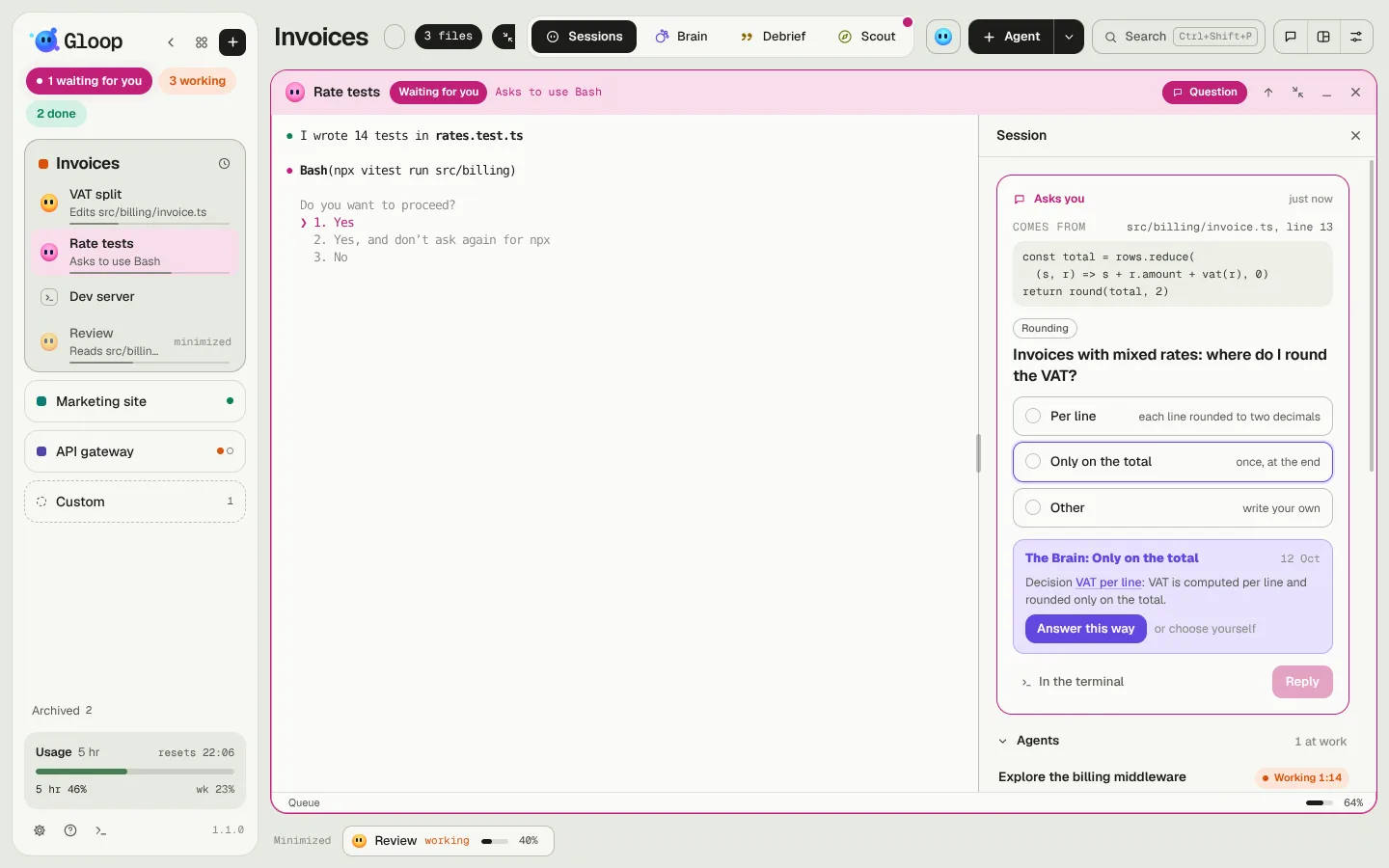
If the workspace has the Brain on, at every question from an agent Gloop looks among the Brain's active decisions. If a decision answers it, the question shows the right option in violet and, under it, the decision: "The Brain: Only on the total", the date, the sentence of the choice, and Answer this way.
When in doubt it suggests nothing: it's made to stay quiet when it isn't sure. The suggestion appears in the session panel, on the Control card and in the notch.
Where a question comes from
A question often comes in the middle of a piece of work, and it isn't clear what it's about. Gloop shows you the lines it comes from: the file the agent was reading or editing and the 2–4 lines that matter ("Comes from invoice.ts, line 13"). A click on the name opens the file in your editor.
Keep it in the Brain
When you answer a question that's a choice yourself (not a yes or a no, nor a plan), and the Brain is on, Keep it in the Brain? appears below with the decision already written: the problem, the choice, the why and the nearby notes.
- Save the decision writes it in the Brain, as an active decision.
- Just this once leaves it be.
Next time an agent asks the same question, the Brain knows it.
Autonomy
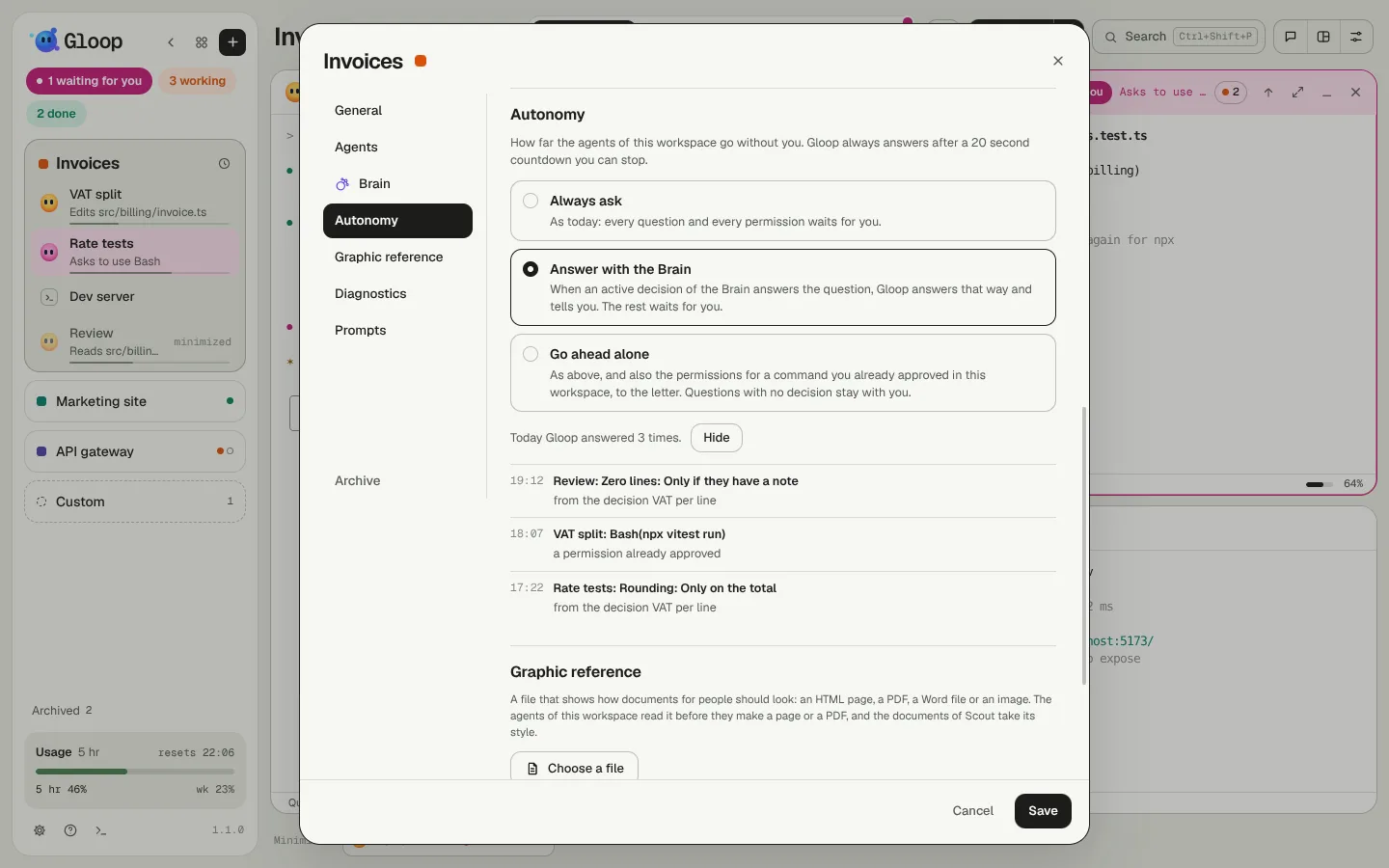
In the workspace settings, the Autonomy section decides how far the agents go without you:
| Level | What Gloop does |
|---|---|
| Always ask | As today: every question and every permission waits for you. It's the default. |
| Answer with the Brain | If an active decision of the Brain answers all the questions of a request, Gloop answers that way and tells you. The rest waits for you. |
| Go ahead alone | As above, and also says yes to permissions for a command you already approved in this workspace, letter for letter. Questions with no decision stay with you. |
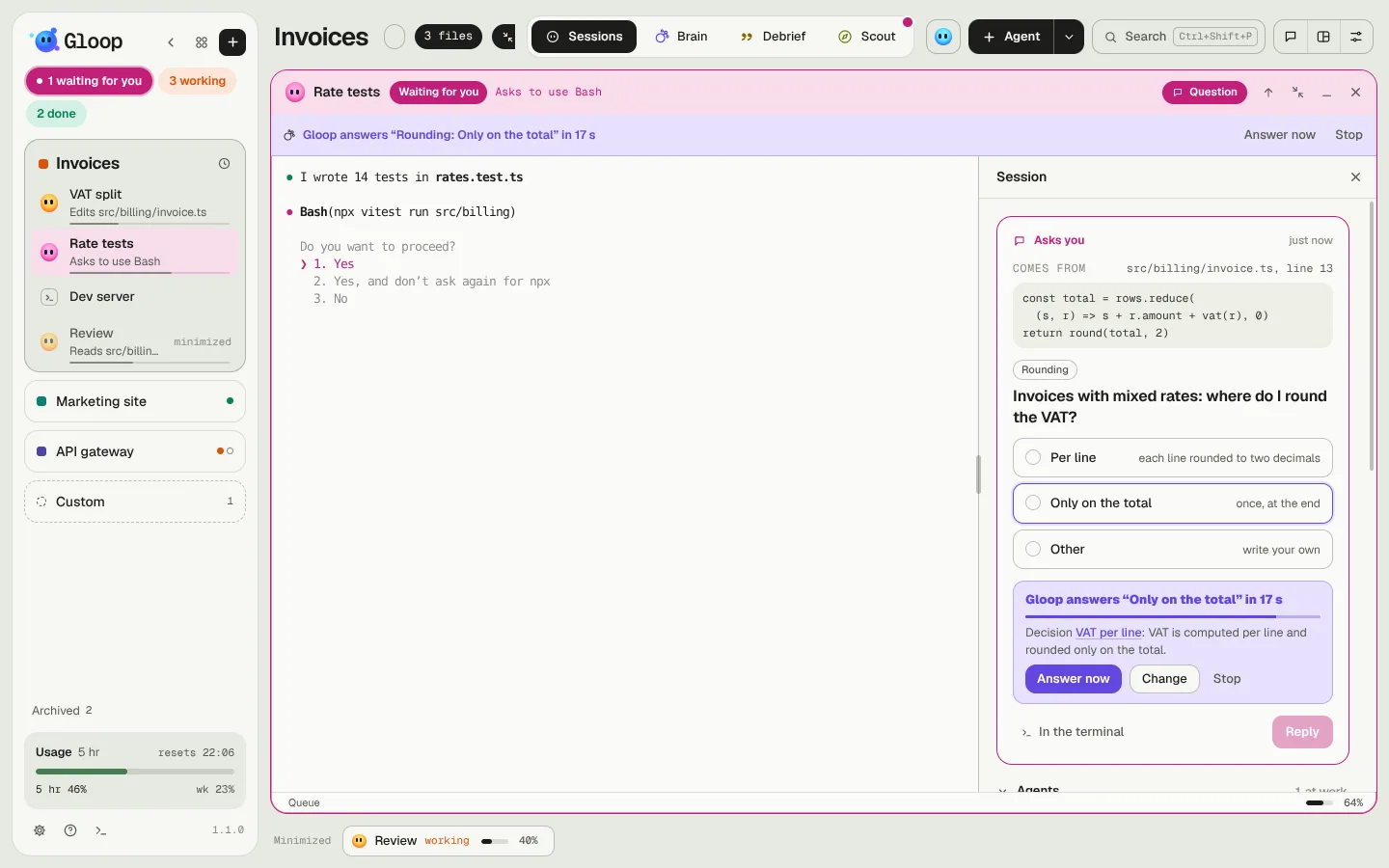
Before answering on its own, Gloop waits 20 seconds with a countdown, on the question's card, at the top of the pane and in the notch:
- Answer now doesn't wait;
- Change stops the countdown and goes back to the options;
- Stop leaves the question to you.
Every answer Gloop gives stays written: a violet line at the top of the pane ("Gloop answered for you: «…», from the decision …"), the See which list in the Autonomy section, and the Debrief, which tells them along with the work.